Beginner’s Guides

Learn the basics of cryptocurrency trading with Bitunix. Step-by-step guides covering wallet setup, how to buy crypto, understanding leverage, and getting started on the Bitunix exchange.

Trade smarter with up to 200x leverage
Start Trading
Bitunix Two people stand by a large monitor displaying crypto charts with Bitcoin candlestick patterns. The text reads: Crypto Charts 101: How to Read Cryptocurrency Charts.

Crypto Charts – How to Read Cryptocurrency Charts

Published on April 18, 2025 • 375 views
Bitunix A digital graphic with a circular, futuristic design in the center and the text What is Solscan and How to use it? below, set against a dark background with glowing solscan accents and stars.

What is Solscan and How to Use it?

Published on April 9, 2025 • 550 views
Bitunix An illustration of stacked coins inside an open vault with POR on Bitunix written below, set against a dark grid background with green highlights.

What is Crypto Proof of Reserves and How to Use POR on Bitunix?

Published on February 18, 2025 • 488 views
Bitunix A digital graphic with green and red candlesticks and a chart line, featuring the text: How To Read a Crypto Candlestick Chart & Indicators? on a dark grid background.

How To Read Crypto Candlestick Charts & Indicators?

Published on February 6, 2025 • 253 views
Bitunix Illustration of two people around a large screen displaying P2P, with stacks of coins, currency symbols, and leaves. Text below reads Bitunix P2P trading on a dark grid background.

Full P2P Trading Guide – How To Buy and Sell USDT

Published on January 31, 2025 • 381 views
Bitunix Illustration of a person sitting on coins with a large phone displaying BTC/USD, a rising green arrow, and Long and Short buttons. Text reads: What is Hedge Mode and How To Use Hedge Mode in Futures Trading?.

What is Hedge Mode and How To Use in Futures Trading?

Published on December 4, 2024 • 382 views
Bitunix A green wallet with cryptocurrency icons like Bitcoin, Ethereum, and Ripple above it. Text below reads, How to Deposit Cryptocurrencies on Bitunix? on a dark background, highlighting simple steps for your next deposit.

How to Deposit Cryptocurrencies on Bitunix?

Published on November 29, 2024 • 284 views
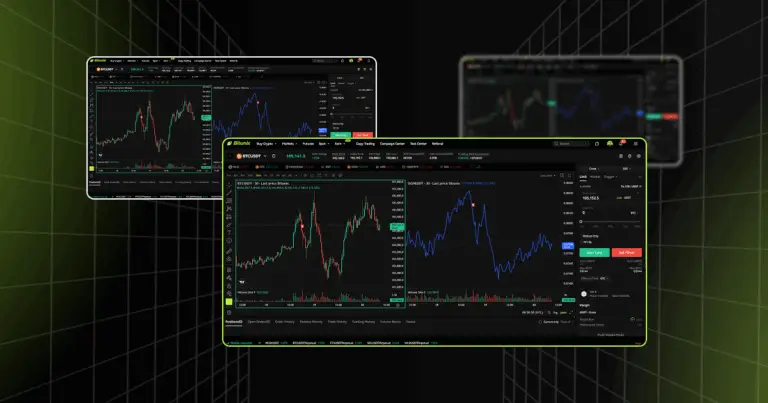
Bitunix A person stands with a tablet in front of a large candlestick chart, with Bitcoin and Ethereum icons above. Text reads: How to Customize Charts for Futures Trading on Bitunix. The background is black with green highlights.

How to Customize Charts for Futures Trading On Bitunix

Published on November 27, 2024 • 503 views
Bitunix Two people analyzing a stock chart with buy and sell signs. The chart has green and red candlesticks. Text below reads: Long Position VS Short Position: Main Differences.

Long vs Short Position: Main Differences in Crypto Futures Trading

Published on October 14, 2024 • 271 views
FAQ

Frequently Asked Questions

Find quick answers to common questions about Bitunix accounts, fees, deposits, withdrawals, and contract trading.

How to calculate the handling fee?

Handling fees can be found here: View handling fee details.

How to increase my daily withdrawal limit?

If you need a higher daily withdrawal limit, after obtaining KYC2 Advanced ID Verification, submit a ticket providing the following information: your Bitunix UID, the name of the currency you want to increase the withdrawal limit of, and your desired limit.

Does Bitunix have official Telegram groups and official Twitter accounts?

Bitunix official Telegram group: Join Telegram

Bitunix official Twitter account: Visit X / Twitter

Feel free to start a live chat with our customer service agents, submit a ticket, or email us whenever you have questions.

It says the phone number was already taken when I tried to link my phone number to my account. Why?

One phone number can only be linked to one account or used as username. If the phone number is not linked to your own Bitunix account, link another phone number that also belongs to you. If the phone number is linked to your own Bitunix account, you need to unlink it from that account first.

How to deposit funds?

Go to "Wallet" - "Deposit" on the Bitunix website. Follow the instructions and provide the required information. Then transfer the funds to the deposit address.

How to withdraw funds?

Go to "Wallet" - "Withdraw" on the Bitunix website. Follow the instructions and provide the required information. Digital assets can only be withdrawn to wallets. Make sure the recipient address is correct before transferring assets.

Funds are not arriving after deposit. Why?

Please check the blockchain records first to make sure that the funds were successfully sent. Then check whether the deposit address is correct. If both are correct but the funds are still not arriving, contact support and provide your UID, deposited currency, amount, time, and TXID.

Funds are not arriving after withdrawal. Why?

Copy the TXID of the withdrawal in "Recent Withdrawals". Check whether the funds were sent successfully in blockchain records using the TXID. If the funds were successfully sent but still have not arrived, contact the recipient platform or wallet. If there is no blockchain record, contact Bitunix customer service.

Is the leverage ratio in contract trading directly related to the final profit?

The PNL of the contract is calculated by the number of positions. The leverage ratio determines the number of positions opened. The higher the leverage ratio, the lower the cost. The more positions opened, the easier it is for forced liquidation to be triggered.

How to calculate the reward ratio of contract trading?

Reward ratio of contract trading = Unrealized PNL (USD) / Margin * 100%.

What will happen to a position in contract cross margin mode when the other position has been forced to liquidate?

In cross margin mode, if one position is liquidated while the other position is still profitable, the unrealized PNL of the profitable position can be used as margin. As a result, the margin of the other position will be reduced, and the liquidation price will also change.

Ready To Place Your
Next Trade?

Choose a market, set your order, and manage risk in one place.

Start Trading
© 2022 - 2026 Bitunix.com. All rights reserved