How AAPLUSDT Trading Works on Bitunix
Learn how to trade Apple stock on Bitunix with USDT, understand how AAPLUSDT works, and explore volatility, leverage, and risk management for beginners.

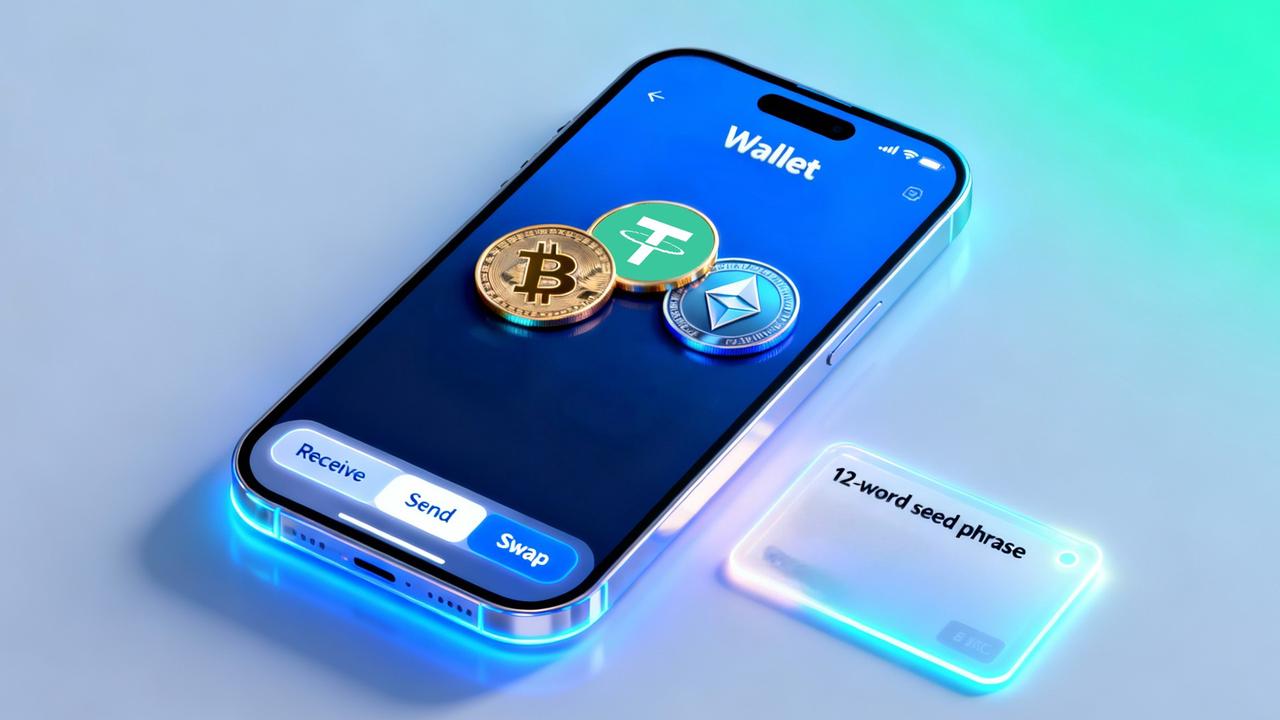
Ready to take control of your crypto journey? A secure wallet is your first and most important step. In crypto, self-custody means you control your private keys and, therefore, your funds. Instead of relying on a third party to hold your assets, a non-custodial wallet keeps the keys with you, reinforcing privacy and sovereignty over your money.
That extra responsibility comes with real benefits: lowering custodian risk, moving funds without permission, and interacting directly with Web3, DeFi, and NFTs. This step-by-step guide shows you how to get started with Trust Wallet in 2026, from installation and setup to advanced features like staking and connecting to dApps, so you can stay safe while taking full advantage of the Web3 ecosystem.
Trust Wallet is a free, non-custodial mobile wallet and browser extension. It supports 10+ million assets across 100+ blockchains, letting you manage cryptocurrencies, NFTs, and access thousands of dApps. In other words, it is a full Web3 hub in your pocket, with you in control of the keys.
It offers multi-chain support. You can access a wide range of crypto assets and NFTs on 100+ blockchains, with the option to add custom tokens. When you’re ready to buy crypto online, Trust Wallet supports integrated on-ramps, or you can fund it from an exchange. You can also explore DeFi and Web3 directly from the app.
It is a self-custody wallet, which means you own your private keys. You own your keys, you own your crypto. You can stake multiple assets (including on-chain yield with stablecoins through newer features), with APR estimators and options available in the extension.
Download Trust Wallet only from official channels (trustwallet.com/download):
Open the app and select Create a new wallet. Set basic permissions (notifications, biometrics, and local password) and follow the onboarding screens until you reach the Secret Recovery Phrase step. If you already have a wallet, choose I already have a wallet and import it using your recovery phrase.
The Secret Recovery Phrase (usually 12 words) is your master key. Anyone who has this phrase can move your funds, so you must treat it carefully:
In Trust Wallet’s settings, enable a passcode (PIN) and, if your device supports it, Face ID or fingerprint authentication. This adds an extra layer of local protection. Even if someone gets physical access to your phone, the app stays locked.
The passcode and biometrics protect access to the app on the current device. Think of them as a screen lock for the app. The Secret Recovery Phrase (12 words), on the other hand, is the master key to your vault. It can restore your entire wallet on any new device.
You can add crypto directly inside the app (fiat → crypto via partners) or by transferring from a crypto exchange like Bitunix (crypto → crypto). Choose whichever is more convenient for you.
Use the Buy button to purchase with a credit or debit card through integrated third-party providers (on-ramps). You can also buy crypto with a credit card via the integrated on-ramp providers, then follow the on-screen verification if required. A quick verification is common, but you may need to complete KYC.
Make sure to check fees, limits, processing time, and the network of the asset you are buying (for example, USDT on ERC20, BEP20, or TRC20). Then confirm your local currency, payment method, and the correct network/address before finalizing the purchase.
You can transfer funds from your Bitunix account to your Trust Wallet. Follow these steps:
It is critical to select the correct network on both sides (for example, ERC20, BEP20, TRC20). If you send on the wrong network, the funds may be lost. For USDT, double-check whether it is USDT-ERC20, USDT-BEP20, or USDT-TRC20, for example.
For coins that require a Tag/Memo (such as XRP, XLM, ATOM, BNB Beacon/Chain), include the Tag/Memo exactly as requested. Review the withdrawal fee, minimum amount, required confirmations, and estimated time. When in doubt, send a small test transaction before moving the full amount.
Pro tip: check that the address format matches the network (BTC, EVM, Tron, etc.), avoid copying/pasting with extra spaces, and always compare the first 4 and last 4 characters of the address before confirming.
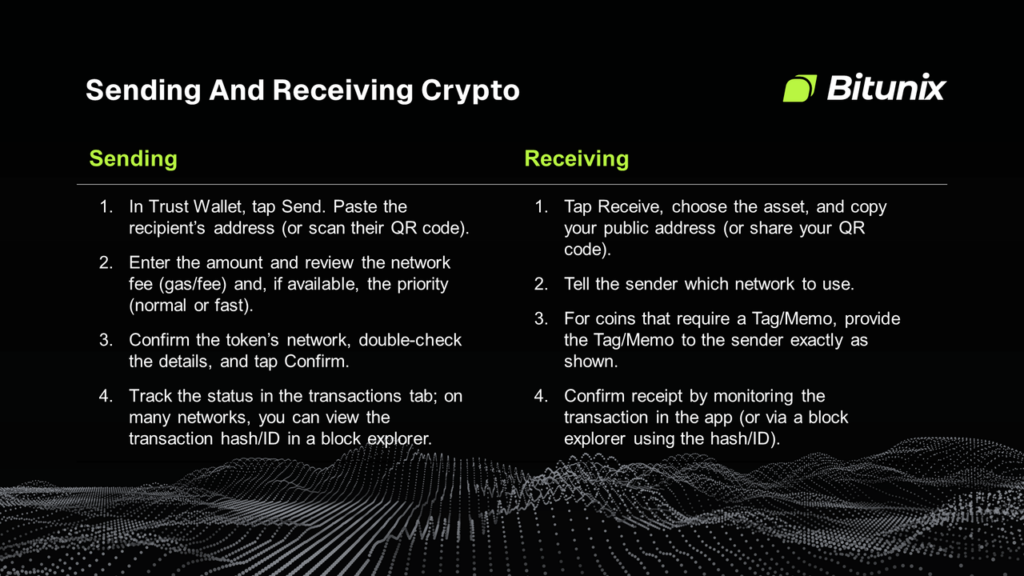
Tips: always validate the network (for example, do not send an ERC20 token to a BEP20-only address), avoid shortened addresses, and never send NFTs to wallets that do not support their standard (for example, ERC-721 vs. SPL).
Trust Wallet lets you swap one token for another directly in the app, without sending funds to an exchange. You choose the token pair, confirm the network (for example, BNB Smart Chain), and approve the transaction. The app routes the swap on-chain through integrated providers, and you pay network fees (gas) in the native coin of that blockchain.
Walkthrough (example: BNB → meme coin on BNB Smart Chain):
Tips: always validate the contract address from the project’s official sources; avoid very high slippage; keep enough BNB for gas; do not execute large swaps without doing a smaller test first.
Staking means locking your assets in a Proof-of-Stake network to help secure it and earn rewards. In Trust Wallet, search for the asset, tap Stake or Earn, review the estimated APR, validator, unbonding period, and then confirm. Keep a small buffer of the native token for network fees when you stake and unstake.
Trust Wallet’s dApp browser connects you to Web3 protocols such as PancakeSwap (BSC), Uniswap (Ethereum/Layer-2), and OpenSea (NFTs).
The usual flow is: open the dApp through the wallet browser → Connect Wallet → choose Trust Wallet → confirm on the correct network → authorize approvals when needed → execute your swap, purchase, sale, or mint.
Always double-check the official URL, supported network, spend permissions, and fees before approving any transaction.
A CEX and a non-custodial wallet play complementary roles. Trust Wallet puts you in control of your keys and makes on-chain interactions easier (DeFi, NFTs, staking). An exchange like Bitunix works as your on/off-ramp (fiat ↔ crypto) and as a high-performance trading hub.
For day-to-day execution, crypto spot trading remains faster and more flexible on a dedicated exchange interface. That is something a mobile wallet app is not designed to replace. When it comes to buying crypto with fiat, Bitunix usually offers more payment methods, deeper liquidity, and more competitive costs than in-app providers.
Onboarding is also quick and user-friendly. KYC is only required for fiat. For users who trade both spot and futures, Bitunix provides advanced tools, One Chart bringing indicators and order placement together for both beginners and pros, 565+ cryptocurrencies, 495 futures pairs, and leverage up to 125x, with deep liquidity, fast execution, and 24/7 support.
Transparency is backed by live proof-of-reserves and a dedicated Protection Fund, boosting operational confidence. When you want to cash out to your bank, Bitunix gives you a regulated, straightforward path: you sell, receive fiat, and, if you like, move funds back into self-custody on Trust Wallet afterward.
As a crypto futures trading platform, Bitunix combines deep liquidity with pro-grade tools and swift order routing for active traders. Use Bitunix as your powerful trading engine and Trust Wallet as your secure vault. It is the perfect combination for any crypto user. Sign up for Bitunix today.
With this guide, you have learned how to install the app, set up your passcode and biometrics, understand your Secret Recovery Phrase, add funds (either buying in-app or transferring from Bitunix), send and receive crypto, and perform on-chain swaps using the built-in DEX. You also saw how to explore dApps and staking safely.
The centerpiece of everything is your secret phrase. Store it offline, in multiple separate locations, never take a photo of it, never email it, and never share it with anyone. Whoever has the phrase has your money. With that foundation in place, you are fully in control: real self-custody, informed decisions, and the freedom to interact with Web3 on your own terms.
Now that you are a Trust Wallet pro, fund your wallet from Bitunix and start exploring the exciting world of Web3.
Is Trust Wallet safe?
Yes. It is a non-custodial wallet, which means your keys stay with you. Security ultimately depends on your habits. You need to protect your secret phrase, keep your device updated, only download from official sources, and avoid phishing attempts and suspicious dApp approvals.
What happens if I lose my phone?
Install the app on your new device and restore your wallet using your Secret Recovery Phrase. Without the phrase, there is no way to recover it.
Can I recover my wallet if I lose my Secret Recovery Phrase?
No. The phrase is the only recovery method. Trust Wallet does not have access to your keys and cannot retrieve your funds.
What is the difference between Trust Wallet and an exchange like Bitunix?
Trust Wallet is a self-custody vault and gateway to DeFi and NFTs. Bitunix is a trading hub and on/off-ramp (fiat ↔ crypto) with advanced tools, liquidity, and speed for both spot and futures markets. Many users combine both: Bitunix for trading and cashing out, Trust Wallet for holding and on-chain activity.
Why do I need to pay gas fees or network fees?
These are fees paid to validators to process your transaction on the blockchain. The amount varies by network, congestion, and the complexity of what you are doing (sending, swapping, or interacting with dApps).
How do I add a custom token to Trust Wallet?
In the app, go to the token manager → Add Custom Token → select the correct network → paste the official contract address → confirm the name, symbol, and decimals → save.
Can Trust Wallet be hacked?
The wallet software itself does not hold your funds; the blockchain does. The real risks come from phishing, malware, exposing your secret phrase, or approving malicious dApps. If your phrase is leaked, your assets can be drained.
What is the difference between a hot wallet (like Trust Wallet) and a cold wallet (like a Ledger)?
A hot wallet is connected to the internet and is convenient for everyday use. A cold wallet keeps your keys offline, offering stronger protection against remote attacks and making it ideal for larger, long-term holdings. Many users combine both (cold for long-term reserves, hot for daily transactions).
Why did my transaction fail?
Common reasons include insufficient gas, using the wrong network, not having enough balance to cover gas plus the transfer amount, incorrect nonce or slippage settings on swaps, missing approvals, or network congestion.
Is Trust Wallet owned by Binance?
Yes, but Trust Wallet is a separate product and not an exchange. You do not need a Binance account to use it. It is a non-custodial wallet: your keys, your crypto, and it operates independently from any CEX flow, including Bitunix.
Bitunix is a global cryptocurrency derivatives exchange trusted by over 3 million users across more than 100 countries. The platform is committed to providing a transparent, compliant, and secure trading environment for every user. Bitunix offers a fast registration process and a user-friendly verification system supported by mandatory KYC to ensure safety and compliance. With global standards of protection through Proof of Reserves (POR) and the Bitunix Care Fund, Bitunix prioritizes user trust and fund security. The K-Line Ultra chart system delivers a seamless trading experience for both beginners and advanced traders, while leverage of up to 200x and deep liquidity make Bitunix one of the most dynamic platforms in the market.
Bitunix Global Accounts
X | Telegram Announcements | Telegram Global | CoinMarketCap | Instagram | Facebook | LinkedIn | Reddit | Medium
Disclaimer: Trading digital assets involves risk and may result in the loss of capital. Always do your own research. Terms, conditions, and regional restrictions may apply.